Sometimes, you need a phone call.
For the gap between noticing a reminder and getting to your medicine.
You saw the reminder. You meant to get up. Then something else happened.
When a scheduled dose is still unconfirmed, DYTYM can follow up with an automated call—if you’ve chosen to turn calls on.
A little harder to brush aside.
- A second call, only if there’s still no scan. Never more than two.
Lock screen at 8:00 with a DYTYM notification: Time to take your medicine. Open DYTYM to see what’s due.
Illustration only · No calls placed or doses recorded
Calls on your terms.
You choose the backup.
Calls require explicit consent and a verified number. Calls ask you to open DYTYM; they don’t mention medication.
Room for quiet.
Quiet hours apply. Pause calls or turn them off in the app whenever you need.
A limit to the nudges.
The current beta allows at most two calls per dose, spaced at least 10 minutes apart, and no call more than 60 minutes after the dose time.
A matching recorded scan stops future reminder actions for that dose. Delivery depends on permissions, connectivity, and service availability. Reminders and calls can be late or fail; keep your existing medication routine.
Your reminders. Your settings.
Real iOS Simulator screenshots using a sample household.
 View full-size screenshot
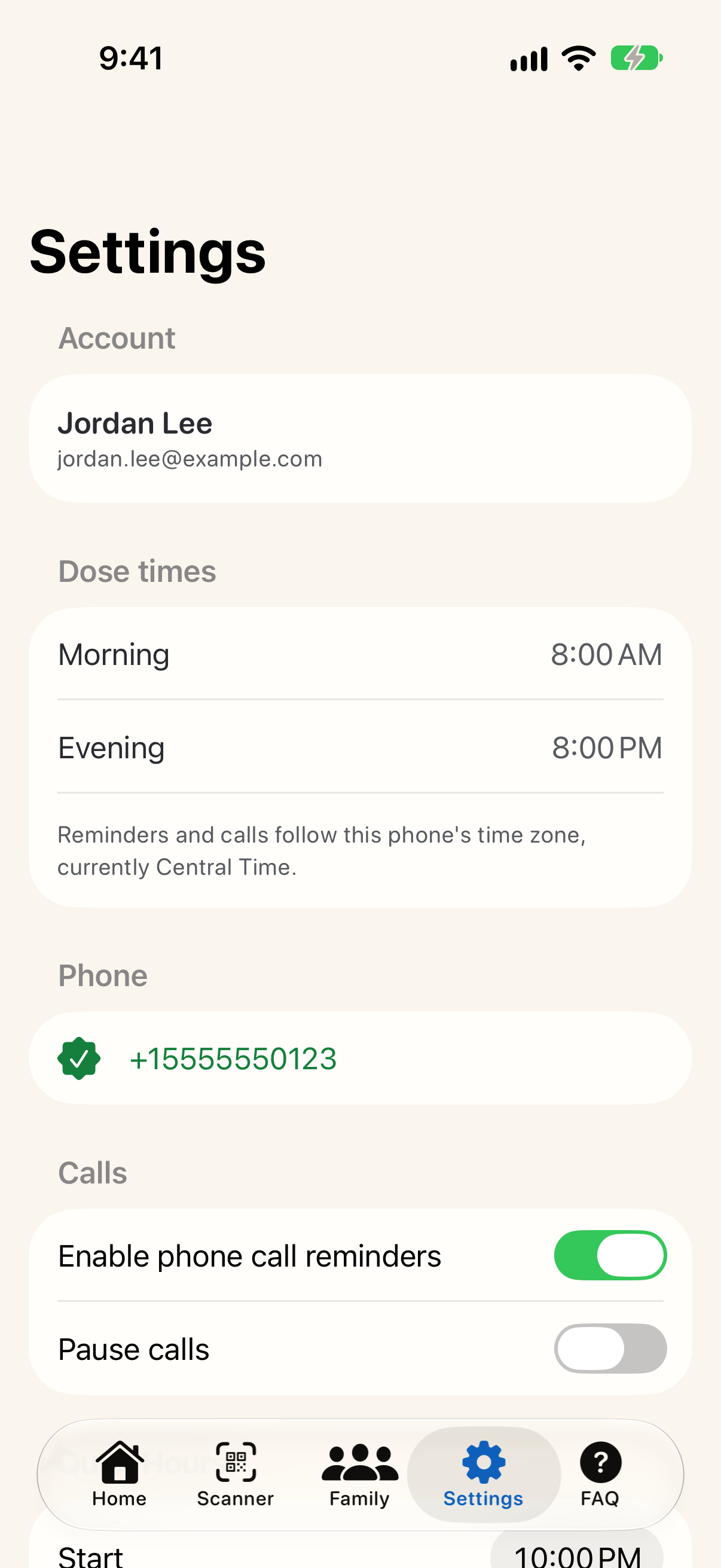
Choose whether calls fit your routine.
Call reminders are optional and need a verified number. Pause them any time; quiet hours are just below.
 View full-size screenshot
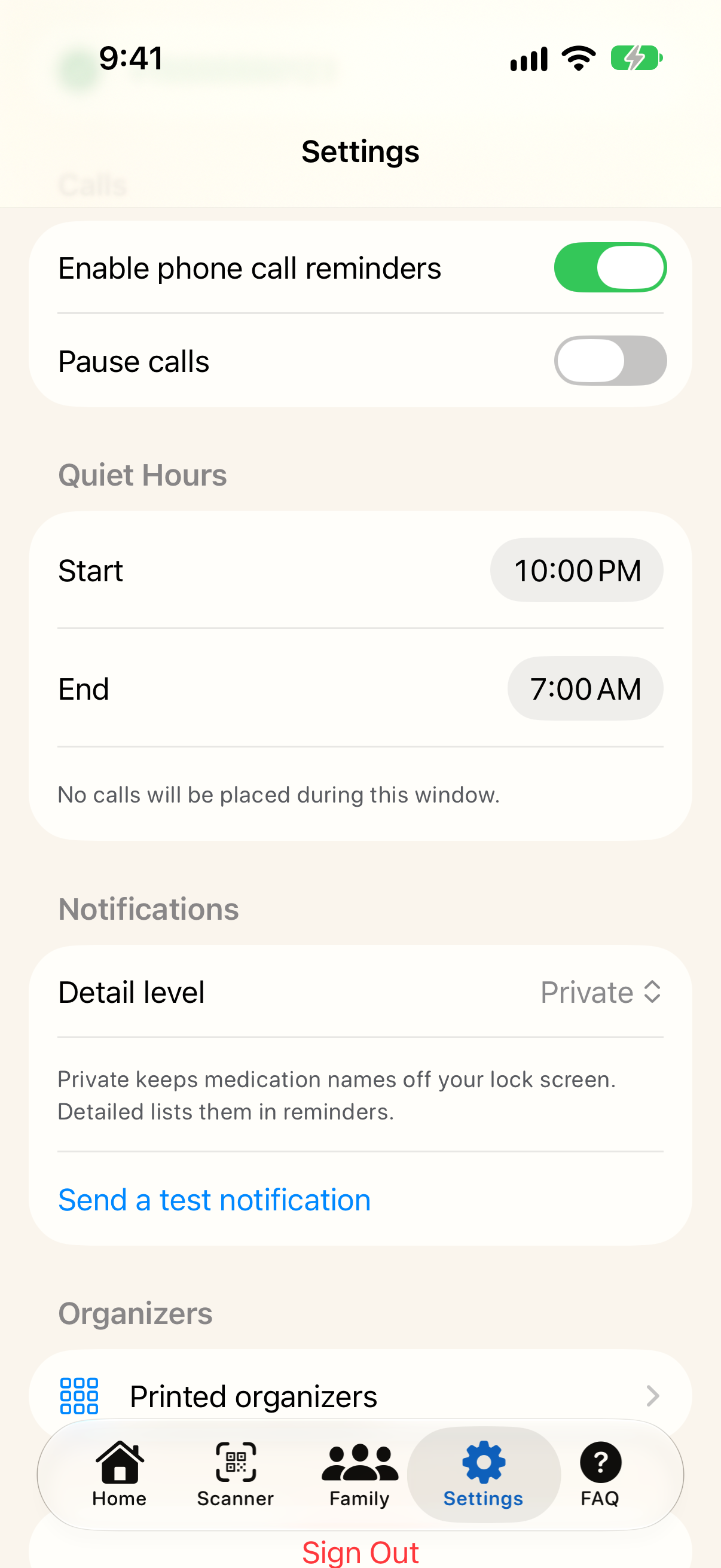
Keep medication names private.
Notifications are Private by default, so reminders don’t name medications. Settings also has a test notification button and a place to manage paired organizers.
 View full-size screenshot
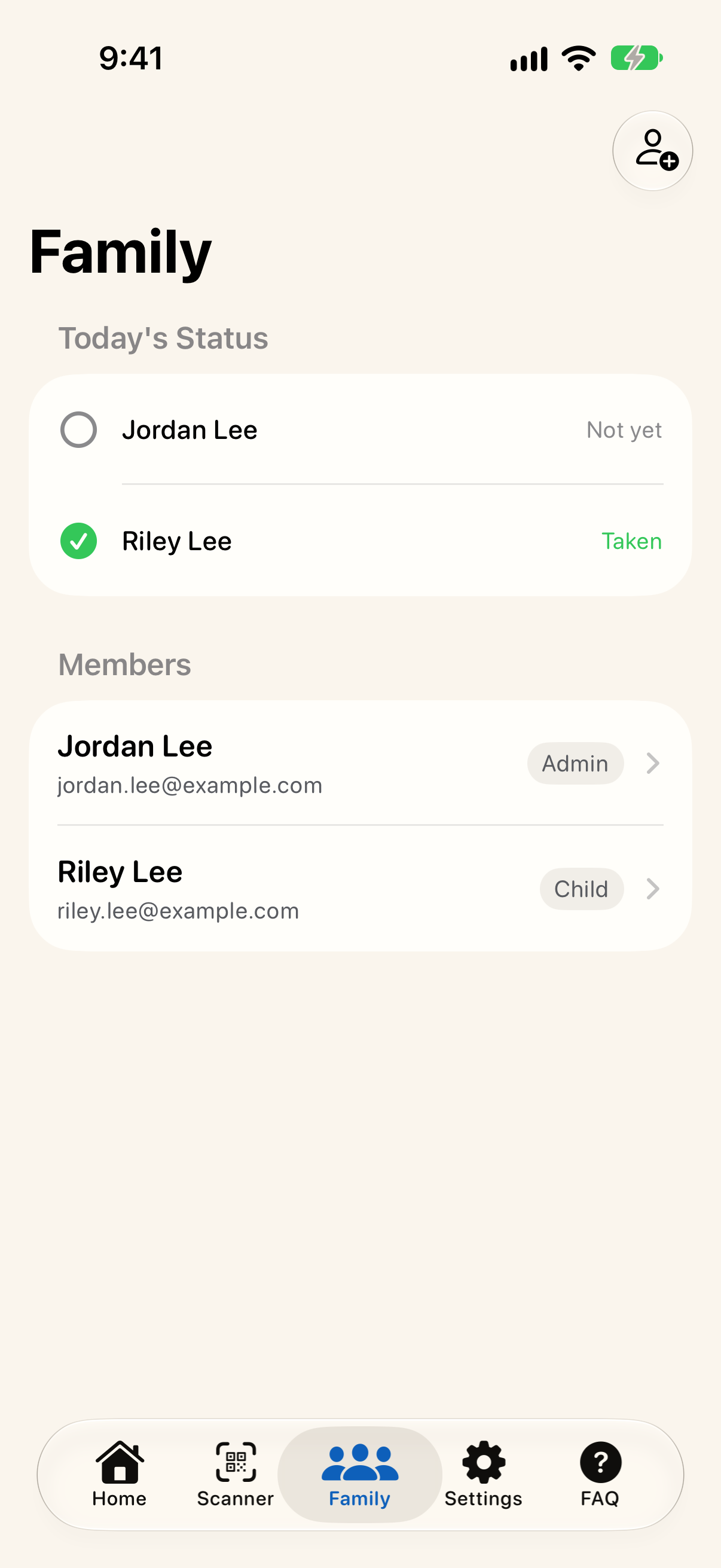
See how the household is doing.
Family admins see whether each member’s doses today have been scanned, and manage everyone’s medications and dose times.
Good questions.
Do I need a special pill organizer?
No. The iOS app can generate personalized QR codes to print and place under the matching lids of your own weekly organizer. Buying DYTYM hardware isn’t required. Our seven-day 3D-printed organizer is coming soon, and is not available to order yet. See the organizer design and plans.
Does scanning prove I took my medicine?
No. A scan records that the matching QR code was scanned. It cannot verify ingestion or prevent every missed or duplicate dose. Follow your clinician’s and pharmacist’s instructions.
Will DYTYM call me?
Only if you choose to enable them, give consent, and verify your phone number. Calls respect quiet hours and can be paused or turned off. The current beta allows at most 2 calls per dose, at least 10 minutes apart, and none more than 60 minutes after the dose time. Calls only ask you to open DYTYM; they never mention medication. Delivery can be delayed or fail.
Do notifications name my medications?
Not by default. Private reminders ask you to open DYTYM without naming medications. If you want medication names in reminders, choose Detailed in Settings (Notifications → Detail level). Notifications may appear on your lock screen, and family alerts name the person who needs attention.